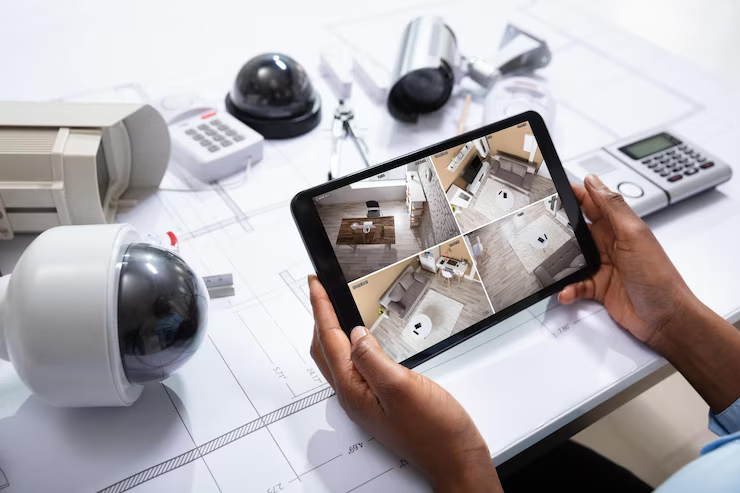
Every 26 seconds, someone breaks into a home in America. That’s more than 3,500 break-ins every day! The FBI says property crimes cost homeowners billions of dollars each year, but most of these crimes could be stopped with the right home security camera setup.
In 2025, 94 million homes in the US will use security systems. Security cameras are becoming the most popular thing people want. Studies show that cameras you can see stop 53% of burglars, while alarm signs only stop 25%. Let’s look at what makes a good security camera setup and how you can protect your family without spending too much money.
Why Your Home Needs Security Cameras Right Now
The numbers are pretty scary when you think about it. The best CCTV systems aren’t just fancy stuff anymore – they’re becoming necessary for American homes. The home security market made $56.1 billion in 2024 and is expected to reach $93 billion by 2030.
What makes this even scarier is that most burglaries last less than 10 minutes. Criminals know exactly what they are looking for and move fast. Without cameras, you might never know who did it or have proof for insurance claims.
Research shows some facts that might surprise you:
- Homes with security cameras are 300% less likely to get robbed
- 83% of burglars check for home security systems before breaking in
- 60% of criminals said they’d pick another house if they saw a security system
But here’s what most people don’t know – having just one camera by your front door isn’t enough anymore. You need a complete smart home surveillance system that covers all the weak spots.
Essential Parts of a Smart Security Camera Setup
Building a good wireless camera setup needs more than just buying a camera and hoping it works. You need to think about coverage, recording, and watching smartly.
Types of Security Cameras for Home Protection
Outdoor Security Cameras
Your first defense starts outside your home. These weatherproof cameras watch entry points and the areas around your house. Modern outdoor security cameras come with night vision, motion detection, and two-way audio so you can actually talk to whoever’s at your door.
The best spots for outdoor cameras are:
- Front door and main entrance areas
- Back door and patio spaces
- Garage and driveway
- Side yards where people might try to sneak in
Indoor Monitoring Devices
Inside cameras catch what outdoor ones miss. They’re perfect for watching the main living areas, hallways, and rooms where you keep valuable stuff. Many families also use indoor monitoring devices to keep an eye on kids, elderly relatives, or pets while they’re at work.
Doorbell Cameras
These have become game-changers for smart home safety. One in five US homes has a security camera installed, and doorbell cameras are leading this trend. They let you see, hear, and talk with visitors even when you’re not home.
Best Ways to Store Security Camera Footage
You have got two main choices for storing your footage:
Local storage uses hard drives or SD cards right in your home. It’s cheaper over time but risky if thieves steal the equipment. Cloud storage keeps footage safe online, but comes with monthly fees that add up.
Many smart homeowners use both local storage for everyday recording and cloud backup for important events.
Smart Features to Look For in Modern Home Cameras

Today’s motion detection cameras aren’t just recording devices – they’re smart systems that can tell the difference between a person, animal, and vehicle. This cuts down on false alarms and helps you focus on real threats.
AI-Powered Detection
By 2025, over 50% of IP cameras are expected to have AI capabilities. These smart cameras can:
- Recognize familiar faces vs strangers
- Detect unusual activity patterns
- Send alerts only for important events
- Track movement across multiple cameras
Best Security Cameras with Mobile App Control
The best DIY security system setups let you monitor everything from your phone. You can get instant alerts, watch live feeds, and even talk through cameras while you’re at work or on vacation.
How Smart Home Cameras Work with Alexa & Google Home
Modern cameras work with Alexa, Google Home, and Apple HomeKit. You can say “Show me the front door” and see your camera feed on smart displays throughout your house. This home automation security integration makes everything work together smoothly.
Top Security Camera Brands for 2025 (Budget & Premium)
Choosing the right brand can make or break your security setup. Here’s what the top players bring to the table:
Market Leaders
- Ring (Amazon) Ring dominates the doorbell camera market and offers complete home security ecosystems. Their systems are DIY-friendly and integrate well with other Amazon devices. Monthly plans start around $3 for basic cloud storage.
- ADT, known for professional monitoring services, offers comprehensive security packages. They’re more expensive but provide 24/7 monitoring by trained professionals who can contact emergency services.
- SimpliSafe tops many lists of 2025’s best home security cameras with easy DIY installation and advanced features. They focus on user-friendly systems that homeowners can install themselves without calling professionals.
Budget-Friendly Options
- Wyze offers surprisingly good cameras at very low prices. Their basic indoor camera costs under $30 and includes cloud storage. Perfect for getting started without spending too much money.
- Blink is Amazon’s budget camera brand, focusing on wireless, battery-powered cameras. They’re easy to install but have limited features compared to premium brands.
Best Installation Tips for Home Surveillance Cameras

Getting your camera placement right is crucial for smart home surveillance. Even the best cameras won’t help if they’re pointing at the wrong spots or are easy to tamper with.
Strategic Placement Guidelines
Mount cameras 8-10 feet high to prevent tampering while keeping faces visible. Angle them slightly downward to capture faces clearly without creating blind spots underneath.
Avoid pointing cameras directly at bright lights or windows. Use cameras with good low-light performance for areas that get dark. Motion-activated lights can help cameras see better at night.
Common Installation Mistakes to Avoid
Many people make these costly errors:
- Putting cameras where they can be easily reached and disabled
- Creating obvious blind spots that criminals can exploit
- Forgetting to protect the recording equipment
- Not testing the system after installation
Pro tip: Walk around your property and think like a burglar. Where would you try to enter? What routes would you take? Place cameras to cover these paths.
How Much Does a Home Security Camera System Cost?
Home security cameras range from $100 for basic setups to $3,000+ for professional installations. Here’s how to budget smartly:
Initial Investment Breakdown
DIY Basic Setup: $200-$500
- 2-4 cameras
- Basic recording device
- Simple mobile app
Mid-Range System: $500-$1,200
- 4-8 cameras with better quality
- Professional-grade recording
- Smart features and mobile alerts
Professional Installation: $1,200-$3,000+
- Custom design and installation
- Professional monitoring
- Advanced features and integration
Monthly Costs to Consider
Don’t forget about ongoing expenses:
- Cloud storage: $3-$30 per month
- Professional monitoring: $15-$50 per month
- Internet bandwidth for streaming
- Occasional equipment replacement
Step-by-Step Guide to DIY Security Camera Setup

Ready to install your DIY security system? Here’s a practical approach that works for most homes:
Phase 1: Planning and Preparation
Start by mapping your property and identifying key areas. Focus on entry points first – front door, back door, and any ground-floor windows. Then consider high-value areas like home offices or where you keep expensive items.
Phase 2: Equipment Selection
Choose cameras based on your specific needs:
- Wired vs wireless: Wired is more reliable, but harder to install
- Indoor vs outdoor: Different cameras for different environments
- Power source: Battery, plug-in, or hardwired options
Phase 3: Installation and Testing
Install cameras one at a time, testing each one before moving to the next. Check that you can see the footage clearly on your phone and that motion alerts work properly.
Final Thoughts: Build the Right Security Camera Setup for Your Home
Building the right security camera setup isn’t just about buying the most expensive equipment – it’s about creating a comprehensive system that protects your home and family. With homes having security cameras being 300% less likely to be burglarized, the investment pays for itself in peace of mind.
Start with the basics: cover your main entry points with quality outdoor security cameras, set up reliable recording, and make sure you can monitor everything from your phone. Then expand your wireless camera setup over time as your needs and budget allow.Remember, the best motion detection camera setup is one you’ll use and maintain. Don’t overcomplicate it – focus on solid coverage of key areas, and you’ll be well on your way to protecting what matters most.
Leave a Reply