Tag: top reads

  • Easy Home Decor Ideas for Your Indoor Plants

    Easy Home Decor Ideas for Your Indoor Plants

    The indoor plant decor market is getting huge these days. Numbers show that the global indoor plants market was worth approximately $20.68 billion in 2024 and is growing at a rate of 4.87% annually. This isn’t just a passing trend—people are truly transforming how they decorate their homes.

    Here is an interesting thing – research at 4 hospitals in San Francisco found that 79% of patients felt more relaxed when they spent time around plants. Other studies show that plants can make your heart rate and blood pressure go down. 

    So when you’re thinking about home decor with indoor plants, you’re not just making your place look nice—you’re making it healthier too.

    Why Indoor Plants Are Perfect for Modern Home Decor

    Decorative indoor plants have become the best choice for people who want to add life and color to their spaces without spending too much money. The good thing about using plants as decor is that they work in many ways, don’t cost much, and grow with you over time.

    A study revealed that being around indoor plants makes you less stressed. This means your indoor greenery decoration isn’t just nice to look at—it’s making you feel better. The natural colors and shapes make a great contrast to all the straight lines and fake materials we see in most modern homes.

    Plant styling has really changed in recent years. Plant lovers are getting braver with rare and unusual plant types. 2024 has seen a big jump in popularity for unique plants that you won’t find at every store. This means people can create truly personal spaces that show their style while getting all the good benefits of having plants indoors.

    Best Indoor Plants for Home Decor (Room-by-Room Guide)

    The secret to good home decor with indoor plants is knowing which plants work best in different rooms. Your living room needs different plants than your bedroom or bathroom, and knowing these differences will save you money and problems.

    Living Room Indoor Plant Ideas for Visual Impact

    Your living room is where you can really show off with the best indoor plants for home decoration. Big plants like fiddle leaf figs or Monstera deliciosa work great in corners where they can grow up and become like living art pieces. These plants love bright light but not direct sun, so putting them near windows works perfectly.

    Putting plants of different heights together creates that layered look that looks professional. Try grouping a tall snake plant with medium-sized pothos and small succulents on different levels. Use plant stands or side tables to create this look. The “rule of three” works here—odd numbers of plants look more natural and less formal.

    Hanging indoor plant ideas are perfect for living rooms, too. Macrame plant hangers or simple ceiling hooks can hold trailing plants like string of pearls or heartleaf philodendrons. This adds height without taking up your floor space, which is really important in smaller apartments.

    Bedroom Plants That Help You Sleep Better

    Your bedroom needs special attention when it comes to modern plant decor. Snake plants and aloe vera are great choices because they make oxygen at night, which might help you sleep better. Put these on nightstands or dresser tops where they can do their work while you rest.

    Low-maintenance indoor plants like pothos or ZZ plants are perfect for bedrooms that don’t get much natural light. These can go on shelves, windowsills, or even on the floor in nice pots that match your bedroom colors.

    The mental health benefits are real here, too. Research shows that being around houseplants helps lower cortisol (the stress hormone) and has been linked to better memory and greater life satisfaction. Your bedroom becomes more than just a place to sleep—it’s a place for mental wellness.

    Top Kitchen and Bathroom Plants for Function and Style

    Kitchen plant decor should focus on herbs and small plants that can handle temperature changes and humidity. Basil, mint, and small succulents on windowsills give you both beauty and usefulness. A 2021 Garden Trends Report found that 67% of adults are growing edible plants, with 33% specifically growing herbs.

    Bathrooms are great for humidity-loving plants. Ferns, air plants, and some orchids actually like the steamy environment. You can put these on shelves, hang them from shower curtain rods, or use suction cup planters on tiles.

    Modern Plant Decor: Container and Planter Styling Ideas
    Easy Home Decor Ideas for Your Indoor Plants

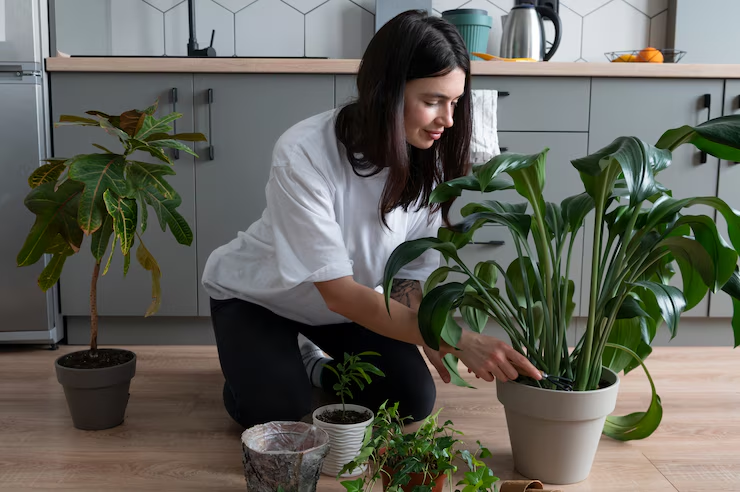
    The container you choose can completely change how your decorative indoor plants fit into your overall decor. Moving beyond basic clay pots opens up tons of possibilities for stylish indoor plant setups that match your style.

    1. Minimalist and Clean Indoor Plant Setup

    For a contemporary feel, choose simple geometric planters in neutral colors like white, black, or grey. Concrete planters have gotten really popular because they give that modern industrial vibe while being strong enough for bigger plants. These work great with architectural plants like snake plants or rubber trees.

    Ceramic planters with clean lines and subtle textures can bridge the gap between modern and natural. Look for pots with interesting shapes—cylindrical, square, or triangular containers add visual interest while keeping that minimalist feel.

    1. Boho, Eclectic, and Vintage Plant Container Ideas

    If your style is more bohemian, embrace macrame plant hangers, woven baskets, and colorful ceramic pots. Mixing different textures and colors creates that lived-in, collected-over-time feeling that defines boho decor.

    Vintage containers like old mason jars, antique watering cans, or repurposed household items add character and tell a story. This approach to decorating with houseplants feels personal and authentic.

    1. DIY Container Solutions

    Making your own planters can save money and create unique pieces. Old wooden crates can be lined with plastic for herb gardens. Large tin cans can be wrapped in twine or painted to match your decor. Even old books can be hollowed out for small succulents.

    Upcycling containers not only saves money but also creates conversation pieces. Just make sure you have proper drainage and choose containers that work well with your plants rather than compete with them.

    Seasonal Indoor Plant Styling Tips

    Easy Home Decor Ideas for Your Indoor Plants

    Successful indoor plant decor ideas require understanding that plants have seasons and changing needs throughout the year. This doesn’t mean your decor has to stay the same—seasonal rotation keeps your space feeling fresh.

    • Spring & Summer Indoor Plant Display Ideas

    During growing seasons, your plants will be at their most beautiful. This is when you can move them to more prominent positions and showcase their beauty. Fertilizing during these months encourages thick growth that makes your decor look better.

    Consider moving plants outdoors occasionally during warm weather to give them a boost of natural light and fresh air. This rotation system keeps plants healthy while letting you experiment with different arrangements indoors.

    • Fall & Winter Indoor Greenery Setup and Care

    As daylight hours get shorter, you might need to move plants closer to windows or invest in growing lights. This is a perfect time to focus on low-maintenance indoor plants that maintain their beauty year-round, like snake plants, ZZ plants, and most succulents.

    Grouping plants together during winter months creates microclimates that help them survive lower light conditions. This clustering also creates cozy arrangements that work well with fall and winter decor themes.

    Budget-Friendly Indoor Plant Decor Tips

    Creating beautiful home decor with indoor plants doesn’t require spending a fortune. Smart shopping, propagation, and creative styling can help you get the look you want without breaking the bank.

    How to Grow Your Plant Collection for Free

    Many popular houseplants can be propagated from cuttings, basically giving you free plants. Pothos, snake plants, and many succulents can be easily propagated and shared with friends or used to fill out your collection.

    Plant swaps with friends or local gardening groups help you diversify your collection without spending money. These community connections often lead to valuable advice and ongoing plant support.

    Best Thrift Store Finds for Plant Decor

    Thrift stores are goldmines for unique planters and containers. Old colanders, vintage bowls, and unusual vessels can become conversation-piece planters with proper drainage added.

    DIY plant stands made from stacked books, wooden crates, or concrete blocks create the layered look of expensive plant displays for way less money.

    Indoor Plant Care Mistakes to Avoid

    Even with good intentions, there are several problems that can mess up your indoor greenery decoration efforts. Learning from these common mistakes will save you time, money, and frustration.

    Overwatering and Poor Drainage Problems

    The biggest plant killer is overwatering, often made worse by containers without proper drainage. Always make sure your decorative pots have drainage holes, or use a system where plants sit in draining containers inside decorative ones.

    Ignoring Light Requirements

    Putting plants in spots just because they look good there, without thinking about their light needs, is asking for trouble. Research each plant’s specific requirements and choose locations accordingly, even if it means changing your initial design idea.

    Avoid Overcrowding Your Indoor Jungle

    While clustering plants can look beautiful, overcrowding leads to pest problems and poor air circulation. Give each plant enough space to breathe and grow, and regularly check for signs of pests or disease.

    How to Create a Stylish Indoor Plant Setup That Fits Your Life
    Easy Home Decor Ideas for Your Indoor Plants

    The journey of stylish indoor plant setup is personal and should reflect your lifestyle, preferences, and living situation. Start small with a few plants that match your experience level and gradually build your collection as you gain confidence.

    Remember that research has linked houseplants to reduced stress, lower blood pressure, and improved mood. Your decorating with houseplants isn’t just about creating a beautiful space—it’s about creating a healthier, more enjoyable living environment.

    The beauty of modern plant decor lies in its flexibility and how it evolves with you. As your plants grow and change, so can your arrangements and design choices. This living decor adapts to your life, creating a dynamic environment that never feels boring or stagnant.

    Whether you prefer clean minimalism or abundant jungle-style arrangements, the key is choosing plants and styling approaches that bring you joy and fit your lifestyle. With the right combination of plants, containers, and placement, you can transform any space into a green sanctuary that nurtures both your aesthetic sense and your well-being.
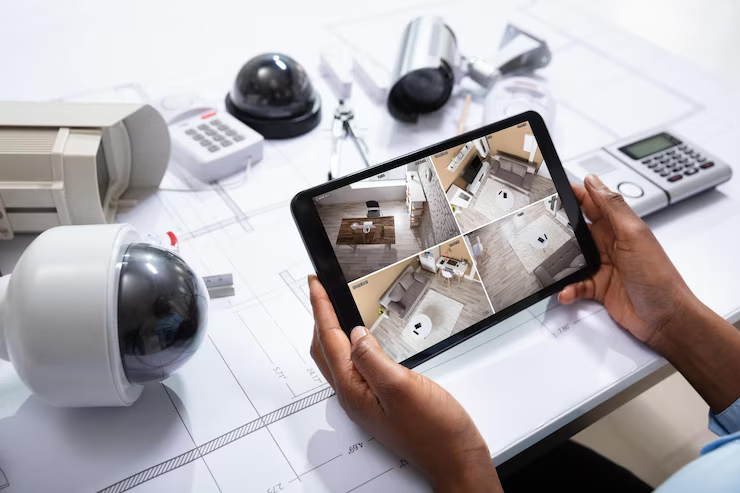
  • What Security Camera Setup Do You Use at Your Home?

    What Security Camera Setup Do You Use at Your Home?

    Every 26 seconds, someone breaks into a home in America. That’s more than 3,500 break-ins every day! The FBI says property crimes cost homeowners billions of dollars each year, but most of these crimes could be stopped with the right home security camera setup.

    In 2025, 94 million homes in the US will use security systems. Security cameras are becoming the most popular thing people want. Studies show that cameras you can see stop 53% of burglars, while alarm signs only stop 25%. Let’s look at what makes a good security camera setup and how you can protect your family without spending too much money.

    Why Your Home Needs Security Cameras Right Now

    The numbers are pretty scary when you think about it. The best CCTV systems aren’t just fancy stuff anymore – they’re becoming necessary for American homes. The home security market made $56.1 billion in 2024 and is expected to reach $93 billion by 2030.

    What makes this even scarier is that most burglaries last less than 10 minutes. Criminals know exactly what they are looking for and move fast. Without cameras, you might never know who did it or have proof for insurance claims.

    Research shows some facts that might surprise you:

    • Homes with security cameras are 300% less likely to get robbed
    • 83% of burglars check for home security systems before breaking in
    • 60% of criminals said they’d pick another house if they saw a security system

    But here’s what most people don’t know – having just one camera by your front door isn’t enough anymore. You need a complete smart home surveillance system that covers all the weak spots.

    Essential Parts of a Smart Security Camera Setup

    Building a good wireless camera setup needs more than just buying a camera and hoping it works. You need to think about coverage, recording, and watching smartly.

    Types of Security Cameras for Home Protection

    Outdoor Security Cameras

    Your first defense starts outside your home. These weatherproof cameras watch entry points and the areas around your house. Modern outdoor security cameras come with night vision, motion detection, and two-way audio so you can actually talk to whoever’s at your door.

    The best spots for outdoor cameras are:

    • Front door and main entrance areas
    • Back door and patio spaces
    • Garage and driveway
    • Side yards where people might try to sneak in

    Indoor Monitoring Devices

    Inside cameras catch what outdoor ones miss. They’re perfect for watching the main living areas, hallways, and rooms where you keep valuable stuff. Many families also use indoor monitoring devices to keep an eye on kids, elderly relatives, or pets while they’re at work.

    Doorbell Cameras

    These have become game-changers for smart home safety. One in five US homes has a security camera installed, and doorbell cameras are leading this trend. They let you see, hear, and talk with visitors even when you’re not home.

    Best Ways to Store Security Camera Footage

    You have got two main choices for storing your footage:

    Local storage uses hard drives or SD cards right in your home. It’s cheaper over time but risky if thieves steal the equipment. Cloud storage keeps footage safe online, but comes with monthly fees that add up.

    Many smart homeowners use both local storage for everyday recording and cloud backup for important events.

    Smart Features to Look For in Modern Home Cameras

    What Security Camera Setup Do You Use at Your Home?

    Today’s motion detection cameras aren’t just recording devices – they’re smart systems that can tell the difference between a person, animal, and vehicle. This cuts down on false alarms and helps you focus on real threats.

    AI-Powered Detection

    By 2025, over 50% of IP cameras are expected to have AI capabilities. These smart cameras can:

    • Recognize familiar faces vs strangers
    • Detect unusual activity patterns
    • Send alerts only for important events
    • Track movement across multiple cameras

    Best Security Cameras with Mobile App Control

    The best DIY security system setups let you monitor everything from your phone. You can get instant alerts, watch live feeds, and even talk through cameras while you’re at work or on vacation.

    How Smart Home Cameras Work with Alexa & Google Home

    Modern cameras work with Alexa, Google Home, and Apple HomeKit. You can say “Show me the front door” and see your camera feed on smart displays throughout your house. This home automation security integration makes everything work together smoothly.

    Top Security Camera Brands for 2025 (Budget & Premium)

    Choosing the right brand can make or break your security setup. Here’s what the top players bring to the table:

    Market Leaders

    • Ring (Amazon) Ring dominates the doorbell camera market and offers complete home security ecosystems. Their systems are DIY-friendly and integrate well with other Amazon devices. Monthly plans start around $3 for basic cloud storage.
    • ADT, known for professional monitoring services, offers comprehensive security packages. They’re more expensive but provide 24/7 monitoring by trained professionals who can contact emergency services.
    • SimpliSafe tops many lists of 2025’s best home security cameras with easy DIY installation and advanced features. They focus on user-friendly systems that homeowners can install themselves without calling professionals.

    Budget-Friendly Options

    • Wyze offers surprisingly good cameras at very low prices. Their basic indoor camera costs under $30 and includes cloud storage. Perfect for getting started without spending too much money.
    • Blink is Amazon’s budget camera brand, focusing on wireless, battery-powered cameras. They’re easy to install but have limited features compared to premium brands.

    Best Installation Tips for Home Surveillance Cameras

    What Security Camera Setup Do You Use at Your Home?

    Getting your camera placement right is crucial for smart home surveillance. Even the best cameras won’t help if they’re pointing at the wrong spots or are easy to tamper with.

    Strategic Placement Guidelines

    Mount cameras 8-10 feet high to prevent tampering while keeping faces visible. Angle them slightly downward to capture faces clearly without creating blind spots underneath.

    Avoid pointing cameras directly at bright lights or windows. Use cameras with good low-light performance for areas that get dark. Motion-activated lights can help cameras see better at night.

    Common Installation Mistakes to Avoid

    Many people make these costly errors:

    • Putting cameras where they can be easily reached and disabled
    • Creating obvious blind spots that criminals can exploit
    • Forgetting to protect the recording equipment
    • Not testing the system after installation

    Pro tip: Walk around your property and think like a burglar. Where would you try to enter? What routes would you take? Place cameras to cover these paths.

    How Much Does a Home Security Camera System Cost?

    Home security cameras range from $100 for basic setups to $3,000+ for professional installations. Here’s how to budget smartly:

    Initial Investment Breakdown

    DIY Basic Setup: $200-$500

    • 2-4 cameras
    • Basic recording device
    • Simple mobile app

    Mid-Range System: $500-$1,200

    • 4-8 cameras with better quality
    • Professional-grade recording
    • Smart features and mobile alerts

    Professional Installation: $1,200-$3,000+

    • Custom design and installation
    • Professional monitoring
    • Advanced features and integration

    Monthly Costs to Consider

    Don’t forget about ongoing expenses:

    • Cloud storage: $3-$30 per month
    • Professional monitoring: $15-$50 per month
    • Internet bandwidth for streaming
    • Occasional equipment replacement

    Step-by-Step Guide to DIY Security Camera Setup

    What Security Camera Setup Do You Use at Your Home?

    Ready to install your DIY security system? Here’s a practical approach that works for most homes:

    Phase 1: Planning and Preparation

    Start by mapping your property and identifying key areas. Focus on entry points first – front door, back door, and any ground-floor windows. Then consider high-value areas like home offices or where you keep expensive items.

    Phase 2: Equipment Selection

    Choose cameras based on your specific needs:

    • Wired vs wireless: Wired is more reliable, but harder to install
    • Indoor vs outdoor: Different cameras for different environments
    • Power source: Battery, plug-in, or hardwired options

    Phase 3: Installation and Testing

    Install cameras one at a time, testing each one before moving to the next. Check that you can see the footage clearly on your phone and that motion alerts work properly.

    Final Thoughts: Build the Right Security Camera Setup for Your Home

    Building the right security camera setup isn’t just about buying the most expensive equipment – it’s about creating a comprehensive system that protects your home and family. With homes having security cameras being 300% less likely to be burglarized, the investment pays for itself in peace of mind.

    Start with the basics: cover your main entry points with quality outdoor security cameras, set up reliable recording, and make sure you can monitor everything from your phone. Then expand your wireless camera setup over time as your needs and budget allow.Remember, the best motion detection camera setup is one you’ll use and maintain. Don’t overcomplicate it – focus on solid coverage of key areas, and you’ll be well on your way to protecting what matters most.

  • How to Secure Your Wi-Fi Network: A Step-by-Step Guide

    How to Secure Your Wi-Fi Network: A Step-by-Step Guide

    Cybercriminals are getting smarter every day, and they’re targeting home networks more than ever before. According to Broadband Genie’s 2024 survey involving 3,045 respondents, 52% of users have never adjusted any router factory settings, leaving their networks wide open to attacks. With the global average cost of a data breach reaching $4.88 million in 2024, learning how to secure a Wi-Fi network properly isn’t just smart; it is absolutely necessary.

    Your Wi-Fi security is the first line of defense against hackers who want to steal your personal information, spy on your online activities, and use your internet connection for illegal stuff. This guide will show you exactly how to protect your wireless network security using simple, proven methods that actually work.

    Understanding Wi-Fi Security Threats

    Your home Wi-Fi protection faces serious threats every single day. Hackers don’t take breaks, and they’re constantly looking for easy targets. The most common way they get into your network is through weak Wi-Fi passwords and outdated security settings that most people never bother to change.

    Research shows that approximately 3.1% of all access points still use the old WEP security protocol, which hackers can crack in just minutes. That’s like using a paper lock on your front door; it looks like security, but it doesn’t actually protect anything.

    • Evil twin attacks are becoming super common, too. Hackers create fake Wi-Fi networks that look exactly like real ones. When you connect to what you think is your neighbor’s network or a coffee shop’s Wi-Fi, you might actually be connecting to a hacker’s trap. They can then see everything you do online, every password, every credit card number and every private message.
    • Man-in-the-middle attacks happen when cybercriminals position themselves between your device and the internet. It’s like having someone secretly read all your mail before it gets delivered. The scary part is you probably won’t even know it’s happening until it’s too late.

    Common Wi-Fi Vulnerabilities You Need to Fix

    How to Secure Your Wi-Fi Network: A Step-by-Step Guide

    Most home networks have huge security holes that homeowners don’t even realize exist. These vulnerabilities make it super easy for attackers to break in and cause serious damage to your digital life.

    • Default router passwords are the biggest problem. When you buy a new router, it comes with a standard username and password that’s usually something obvious like “admin/admin” or “admin/password.” Hackers know all these combinations by heart and can get into your router in seconds if you haven’t changed them.
    • Outdated firmware creates another massive security gap. Router companies regularly release updates to fix newly discovered security problems. According to Kaspersky’s analysis, over 500 vulnerabilities were discovered in routers in 2021, including 87 critical ones. When you ignore these updates, you’re basically leaving known security holes wide open for hackers to exploit.
    • Your smart home devices can also be the weakest link in your network. That smart doorbell or voice assistant might seem harmless, but according to Verizon’s 2024 Data Breach Investigations Report, one in three breaches now involves an IoT device. These devices often have terrible security and almost never get security updates.
    • Guest network problems are another common issue. Many people either don’t set up a guest network at all, or they create one with no password. This gives visitors and potential attackers the same access to your network as your own devices have.

    Step-by-Step Wi-Fi Security Configuration

    How to Secure Your Wi-Fi Network: A Step-by-Step Guide

    Securing your Wi-Fi network doesn’t require you to be a tech expert. Follow these practical steps to turn your vulnerable network into a fortress that keeps cybercriminals away from your personal information.

    How to Change Wi-Fi Password and Router Settings

    Your first job is getting rid of those dangerous default login credentials. Access your router’s settings by typing its IP address into your web browser, usually 192.168.1.1 or 192.168.0.1. You’ll find the exact address on a sticker on your router.

    Change the Wi-Fi password by creating a strong admin password that includes uppercase letters, lowercase letters, numbers, and special characters. Make it at least 12 characters long. Don’t use obvious stuff like your name, address, or “password123.” Think of it like picking a lock for your house; you wouldn’t choose one that anyone could break easily.

    Change the default username, too. Most people forget this step, but it’s really important. If hackers know your username is “admin,” they’re already halfway to breaking into your system. Pick something unique that has nothing to do with your personal info.

    Setting Up the Best Wi-Fi Security Types

    Wi-Fi security types are your network’s protection against hackers trying to spy on your internet traffic. Go to your router’s wireless security settings and look for encryption options. If your router supports WPA3, choose it right away. This is the newest and strongest protection available for home networks.

    If WPA3 isn’t available on your router, select WPA2 with AES encryption. Never use WEP or leave your network completely unprotected. Recent security research shows that vulnerabilities like the SSID confusion attack affect all types of Wi-Fi networks, but WPA3 still gives you the best protection you can get.

    Create a strong Wi-Fi password for your network that’s different from your admin password. This is what devices need to connect to your Wi-Fi. Make it long, at least 15 characters, and mix in letters, numbers, and symbols. Use a phrase you can remember with numbers and symbols added, like “Pizza$Tastes4Great!” instead of random letters that you’ll forget.

    Updating Router Firmware for Better Protection

    Router firmware updates are like security patches for your network’s foundation. Most newer routers can check for updates automatically, but you should make sure this setting is turned on. Look for “Automatic Updates” or “Firmware Update” in your router’s settings.

    If automatic updates aren’t available, check for updates manually at least once a month. Go to your router manufacturer’s website and search for your specific model. Download the latest firmware and follow the instructions carefully. Never interrupt this process; a failed firmware update can permanently break your router.

    Set a monthly reminder on your phone to check for updates. With more than 30,000 vulnerabilities disclosed last year, staying current with security patches is more important than ever.

    Setting Up Guest Networks

    A guest network creates a separate Wi-Fi connection for visitors, keeping them away from your main devices and personal data. It’s like having a separate entrance for guests instead of letting them walk through your bedroom to get to the living room.

    Set up your guest network with its own unique name and password. Turn on security features like client isolation, which stops devices on the guest network from talking to each other. This prevents a hacked guest device from attacking other visitors’ devices.

    Set bandwidth limits for your guest network so visitors can’t use up all your internet speed. You can also set time restrictions; some routers let you automatically turn off guest access during certain hours.

    Also Check: How to Navigate Smart Technology: Clear Step-by-Step Guides

    Advanced Wi-Fi Security Tips

    How to Secure Your Wi-Fi Network: A Step-by-Step Guide

    Beyond basic setup, several advanced techniques can dramatically improve your Wi-Fi protection. These methods need a bit more technical knowledge but provide serious protection against sophisticated attacks.

    MAC Address Filtering and Router Features

    MAC address filtering creates a whitelist of devices that can connect to your network. Every device has a unique MAC address, like a digital fingerprint. When you enable this feature, only approved devices can join your network, even if someone knows your password.

    Find the MAC addresses of your devices in their network settings. On Windows computers, open Command Prompt and type “ipconfig/all.” On phones, check the Wi-Fi settings or About section. Add these addresses to your router’s MAC filtering list.

    Remember that MAC filtering isn’t perfect; advanced hackers can fake MAC addresses. But it adds another layer of protection and stops casual intruders pretty effectively.

    Choosing the Most Secure Wi-Fi Router

    When shopping for the most secure Wi-Fi router, look for these important features: WPA3 support, automatic security updates, strong processor power, and regular firmware updates from the manufacturer. Brands like ASUS, Netgear, and Linksys generally offer good security features in their higher-end models.

    Avoid cheap routers that don’t get regular updates. Check online reviews and security ratings before buying. A router that costs a bit more upfront can save you thousands of dollars in potential security breach costs later.

    Look for routers with built-in VPN support, advanced firewalls, and intrusion detection systems. These features provide extra layers of protection against sophisticated attacks.

    Disabling Risky Features

    Wi-Fi Protected Setup (WPS) might seem convenient, but it’s a huge security risk. This feature lets devices connect to your network by pressing a button or entering a PIN, but it also creates vulnerabilities that hackers love to exploit. Turn off WPS completely in your router settings.

    Remote management features let you access your router from outside your home network. Unless you specifically need this, turn it off. These features create extra ways for cybercriminals to break into your network.

    Review all the services running on your router and disable anything you don’t need. Turn off features like UPnP (Universal Plug and Play) unless you need them for specific programs. Each enabled service is another potential entry point for attackers.

    Conclusion

    Your Wi-Fi security protects way more than just your internet connection; it safeguards your entire digital life. From family photos to banking information, everything flows through your home network. The numbers don’t lie: 1,732 data breaches happened in the first half of 2025, an 11% increase from last year, and many of these breaches start with compromised home networks.

    The Wi-Fi security tips in this guide aren’t just suggestions; they’re must-do tasks in today’s cyber threat environment. Changing default passwords, enabling WPA3 encryption, updating firmware, and monitoring your network regularly aren’t just good ideas; they’re your main defense against increasingly smart attacks.

    Don’t wait for something bad to happen before you take action. Use these Wi-Fi security tips today to protect your network, and you’ll sleep better knowing your digital life is safe from cybercriminals who are constantly looking for their next victim.

  • Smart Living Starts with Google Home

    Smart Living Starts with Google Home

    Smart home technology is no longer just for tech geeks. In 2024, 69.91 million US households actively use smart home devices, and the numbers keep growing fast. The global smart home market is projected to grow from $84.5 billion in 2024 to $116.4 billion by 2029.

    But here’s the thing: most people still don’t know where to start. With so many smart gadgets for home available, choosing the right system can feel overwhelming. If you want something simple and that just works, Google Home is a solid option. It is like having a personal assistant that controls your entire house with just your voice.

    Connected living isn’t about having fancy gadgets everywhere. It’s about making your daily life easier, saving money on energy bills, and keeping your home secure. Voice-controlled devices have become so popular because they solve real problems – you can turn off lights without getting up, check who’s at the door while you’re at work, or adjust the temperature before you get home.

    Google smart devices work together to create a system that learns your habits and preferences. When everything connects properly, your home starts to feel like it knows what you need before you ask for it.

    What Is Google Home and How Does It Work?

    Google Home is way more than just a smart speaker sitting on your counter. It’s the brain of your smart home automation system. Think of it as a central hub that connects all your smart devices and makes them work together.

    The device uses Google Assistant, which is Google’s artificial intelligence system. The number of digital voice assistants in use has grown from 4.4 billion in 2022 to an expected 8.4 billion by 2024. People are using these devices because they make life easier.

    The Core of Google’s Smart Ecosystem

    Google Home doesn’t work alone. It connects to other Google smart devices like thermostats, cameras, and displays. These devices talk to each other through your home’s Wi-Fi network.

    Here’s what makes Google Home special:

    • Google Nest Thermostats learn when you’re home and adjust temperature automatically
    • Nest Cameras send alerts to your phone when they detect movement
    • Nest Displays show you weather, calendar events, and camera feeds
    • Nest Doorbells let you see and talk to visitors from anywhere

    The system uses Google’s cloud servers to process your commands and control devices. This means it gets smarter over time by learning your patterns and preferences.

    How does Google Assistant work?

    Google Assistant is the voice that responds when you talk to Google Home. Google Assistant has a 36% market share among voice assistants, followed by Apple Siri (36%) and Amazon Alexa (25%).

    Here’s what you can do with voice-controlled devices:

    Daily Tasks:

    • “Hey Google, remind me to pick up groceries at 5 PM.”
    • “What’s the weather today?”
    • “Add milk to my shopping list.”

    Home Control:

    • “Turn off all the lights.”
    • “Set the thermostat to 72 degrees.”
    • “Show me the front door camera.”

    Entertainment:

    • “Play jazz music in the living room.”
    • “What’s on Netflix tonight?”
    • “Set a timer for 10 minutes.”

    The assistant understands context, so you can ask follow-up questions without repeating yourself. If you ask “What’s the weather?” and then say “What about tomorrow?” it knows you’re still talking about the weather.

    How to Set Up Google Home for Smart Living

    Smart Living Starts with Google Home

    Getting started with the Google Home setup is easier than most people think. You don’t need to be a tech expert – just follow these steps and you’ll have a working system in about 30 minutes.

    The key is planning before you start. Think about which rooms you use most and what problems you want to solve. Did you forget to turn off the lights? Want to control the temperature without getting up? Need better home security? Start with these basics.

    Google Home Setup Basics

    Step 1: Download the Google Home App 

    Get the app from your phone’s app store. This app controls everything – it’s like a remote control for your entire smart home.

    Step 2: Connect Your Google Home Device

    • Plug in your Google Home device
    • Open the app and follow the setup instructions
    • Connect to your Wi-Fi network
    • Link your Google account

    Step 3: Add Compatible Devices 

    The app will scan for smart gadgets for home that work with Google Home. Popular options include:

    • Smart plugs for lamps and small appliances
    • Smart bulbs for lighting control
    • Smart thermostats for temperature management
    • Security cameras for home monitoring

    Step 4: Test Everything 

    Try basic commands like “Hey Google, turn on the living room lights” to make sure everything works properly.

    Creating a Seamless Connected Home

    Once your devices are connected, you can create “routines” – these are automated actions that happen when you say specific phrases or at certain times.

    Popular Routines:

    • Good Morning: Turn on lights, start coffee maker, read weather and news
    • Bedtime: Turn off all lights, lock doors, set security cameras
    • Leaving Home: Turn off lights, adjust thermostat, activate security system

    Scheduling Options:

    • Set lights to turn on/off at specific times
    • Adjust the thermostat based on your work schedule
    • Play music when you arrive home

    The Google Home app makes it easy to create these routines. You just select which devices to control and when to activate them.

    Know the Impact of 6G on Smart Homes

    What Can You Control with Google Home?

    Google Home can control thousands of different smart gadgets for home. The variety might surprise you – everything from lights and thermostats to garage doors and sprinkler systems.

    The best part is voice control. Instead of fumbling with apps or switches, you just speak naturally. This makes smart home automation feel effortless and intuitive.

    Lighting, Climate, and Entertainment

    Smart Lighting Control:

    • Turn lights on/off in any room
    • Dim lights to specific brightness levels
    • Change colors if you have color-changing bulbs
    • Set schedules for automatic lighting

    Climate Management:

    • Adjust the temperature with voice commands
    • Set different temperatures for different rooms
    • Create schedules that save energy when you’re away
    • Get alerts if the temperature goes outside normal ranges

    Entertainment Systems:

    • Play music from Spotify, YouTube Music, or other services
    • Control volume in different rooms
    • Stream videos to TVs with Google Chromecast
    • Create party playlists that play throughout the house

    Example: Say “Hey Google, movie time” and it can dim the lights, turn on the TV, and adjust the temperature – all with one command.

    Security and Monitoring

    Home Security Features:

    • Smart doorbells that show you who’s at the door
    • Security cameras that send alerts when they detect motion
    • Smart locks that you can control remotely
    • Window and door sensors that alert you if they’re opened

    Remote Monitoring:

    • Check camera feeds from anywhere using your phone
    • Get instant notifications if something unusual happens
    • Control lights to make it look like you’re home when traveling
    • Set up automatic responses to security events

    Google Home can also call emergency services if it detects smoke alarms or security breaches, though this feature isn’t available everywhere yet.

    Google Home vs Alexa vs Apple: Which is Better for You? 

    The smart home market has three main players: Google Home, Amazon Alexa, and Apple HomeKit. Each has strengths and weaknesses, so choosing depends on what you already use and what’s most important to you.

    Google holds 17.2% of the smart speaker market share, making it Amazon’s closest competitor. But market share doesn’t tell the whole story about which system works best.

    Google vs Amazon Alexa vs Apple HomeKit

    FeatureGoogle HomeAmazon AlexaApple HomeKit
    Device Compatibility50,000+ devices100,000+ devices1,000+ devices
    Voice RecognitionBest accuracyGood accuracyGood accuracy
    Setup DifficultyEasyEasyMore complex
    PrivacyModerateLowerHighest
    Price Range$30-$300$25-$250$50-$400

    Why Choose Google Home:

    • Best at understanding natural speech
    • Works great with Gmail, Google Calendar, and YouTube
    • Excellent at answering questions and providing information
    • Good selection of compatible devices

    Why Choose Amazon Alexa:

    • Largest selection of compatible devices
    • Strong shopping integration
    • Many different speaker options
    • Lots of third-party skills and features

    Why Choose Apple HomeKit:

    • Best privacy protection
    • Works seamlessly with iPhones and iPads
    • Local processing means it works even when internet is down
    • High-quality, premium devices

    Final Thoughts – Is Google Home the Right Start for Your Smart Life?

    Google Home offers an excellent entry point into smart home automation. It’s easy to set up, works with thousands of devices, and gets smarter over time as you use it more.

    Loup Ventures evaluated assistants with 800 questions and reported Google Assistant answered about 85% correctly, while Siri scored around 78.5%. 

    Why Google Home Makes Sense:

    • Easy setup process that doesn’t require technical expertise
    • Works with existing Google services that most people already use
    • Good selection of compatible devices at various price points
    • Continuous improvements through software updates

    Making the Decision: If you already use Google services like Gmail and Google Calendar, Google Home integrates seamlessly. If you prioritize privacy above all else, Apple HomeKit might be better. If you want the most device choices, Amazon Alexa could be the right choice.

    The smart home market is growing rapidly, and getting started now means you’ll be ready for future innovations. The global smart home market is predicted to reach $462.94 billion by 2030, so this technology will only become more important in daily life.

    Start small with a Google Home device and a few smart gadgets for home that solve real problems. You can always add more devices later as you discover new ways to improve your connected living experience.