Have you bought any new smart technology and found yourself in trouble, surrounded by instruction manuals, and seriously considering returning the device? According to recent research, consumers spend close to 1.5 hours of their own time resolving smart device issues and one hour working with customer service.
Even after so much talk about tech and smart technology, even now, an average American spends around 1-2 hours per week dealing with smart home maintenance or support issues. The smart home market is booming, with revenue expected to hit $174 billion by 2025, but many people still find themselves lost when it comes to actually using these devices.
Smart technology doesn’t have to be complicated. With 69.91 million US households now using smart home devices, a 10.2% jump from last year, it’s clear that once people figure it out, they love the convenience. The key is knowing the right steps to take and avoiding common mistakes that trip up most beginners.
Understanding Smart Technology Basics
Smart technology means devices that connect to the internet and can talk to each other or be controlled remotely. These IoT (Internet of Things) devices include everything from thermostats and light bulbs to security cameras and door locks.
The biggest difference between regular devices and smart devices is connectivity. A regular light switch just turns lights on and off. A smart home device can do that, plus let you control it from your phone, set schedules, and even respond to voice commands.
Most home automation systems work through three main parts: your home’s WiFi network, the devices themselves, and an app or voice assistant to control everything. Understanding this basic setup helps prevent the confusion that causes 38% of people to return their first smart device within 30 days.
Pre-Setup Planning for Smart Homes
Before buying any smart home devices, check your internet speed. Most devices need at least 10 Mbps upload speed to work properly. You can test this for free using speed test websites. If your internet is slow, adding multiple devices will make everything run poorly.
Next, decide which room to start with. The living room is usually best because it has good WiFi coverage and you spend lots of time there. Starting small with 2-3 devices helps you learn without getting overwhelmed.
Smart home devices that work together are much better than random devices from different brands. Popular ecosystems include:
- Amazon Alexa: Works with over 100,000 devices
- Google Home: Good integration with Android phones
- Apple HomeKit: Best if you use iPhones and iPads
- SmartThings: Works with almost everything
Choose one ecosystem and stick with it. This makes setting up a smart home much easier because everything uses the same app.
Step-by-Step Device Setup Process
Getting Your Network Ready
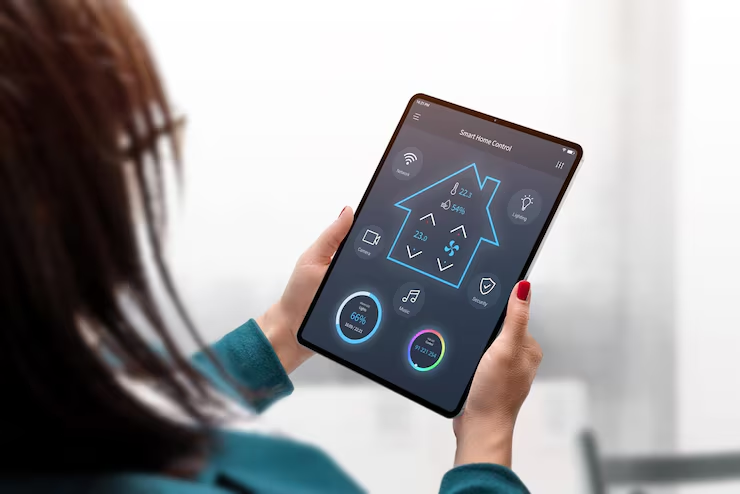
Strong WiFi is crucial for home automation. Most routers that come from internet companies are okay for basic use, but smart home devices need a consistent connection. If your WiFi is weak in some rooms, consider getting a mesh network system.
Create a separate network for your IoT devices if possible. Many newer routers have a “guest network” feature; use this for smart devices. This keeps your main devices (like computers and phones) separate and more secure.
Installing Your First Smart Device
Start with something simple, like a smart plug or smart bulb. These are cheap (usually under $15) and hard to mess up. Here’s the basic process that works for most devices:
- Download the app first.
- Create your account in the app
- Plug in or install the device
- Put the device in pairing mode (usually by holding a button for 3-5 seconds).
- Follow the app instructions to connect to WiFi.
- Test the basic functions before moving on
This process takes 10-15 minutes for most devices. If it’s taking longer, something’s wrong; check your WiFi password or restart your router.
Connecting Multiple Devices
Once your first device works, adding more becomes easier. The app will remember your WiFi settings, so new devices connect faster. However, don’t add everything at once. Add 1-2 devices per week so you can learn how each one works.
Group similar devices together in your app. Put all bedroom lights in a “Bedroom” group, all kitchen devices in a “Kitchen” group, etc. This makes controlling multiple devices much simpler.
Common Setup Problems and Solutions
The common setup problem for any smart technology is with its connectivity. The WiFi connection issues cause about 60% of setup problems. If a device won’t connect:
- Move closer to your router during setup.
- Make sure you’re using the 2.4 GHz network (not 5 GHz).
- Double-check your WiFi password.
- Restart your router if needed.
App crashes happen when phones don’t have enough storage or the app is outdated. Delete old photos or apps you don’t use, then update the smart device app.
Device not responding usually means the device lost its WiFi connection. Unplug it for 10 seconds, then plug it back in. Most devices will reconnect automatically.
Some devices just don’t work well together, even if they claim to be compatible. Research shows that devices from the same brand work together 85% better than mixing different brands.
Smart Home Automation Setup
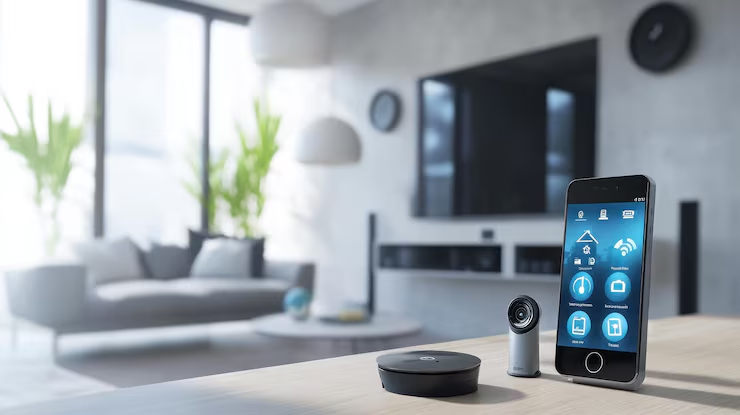
How to automate your home starts with simple routines. Instead of manually controlling each device, create automatic actions based on time or triggers.
Popular automation ideas include:
- Turn on porch lights at sunset
- Lower thermostat at bedtime
- Start coffee maker at 7 AM
- Lock doors at 11 PM
Most smart home guide resources suggest starting with time-based automations since they’re easier to set up. Motion sensors and other trigger-based automations can come later once you’re comfortable with the basics.
The key to good automation is keeping it simple. Complex rules with multiple conditions often break or behave unexpectedly. Stick to straightforward “if this, then that” logic.
Advanced Navigation Tips
Once you’ve got the basics down, smart tech tutorials from 2025 show several advanced features worth exploring. Voice control becomes much more useful when you can control multiple devices with one command.
Set up scenes or modes that control several devices at once. A “Movie Mode” might dim the lights, close smart blinds, and turn on the TV, all with one voice command or app tap.
Regular maintenance keeps everything running smoothly. Update device firmware monthly, check battery levels in wireless devices, and clean sensors (like motion detectors) every few months.
Smart home devices collect data about your usage patterns. Review these insights monthly to spot opportunities for better automation or energy savings.
Security and Privacy Considerations
IoT devices can be security risks if not set up properly. Change default passwords immediately; many devices come with passwords like “admin” or “123456” that hackers know.
Enable two-factor authentication on your smart home apps. This adds an extra security step but prevents hackers from accessing your devices even if they get your password.
Review what data your devices collect. Some smart home devices record conversations, track when you’re home, or monitor energy usage. Decide if you’re comfortable with this data collection and adjust privacy settings accordingly.
Conclusion
Smart technology transforms how we interact with our homes, but success depends on taking the right approach. Start small, choose compatible devices, and focus on solving real problems rather than buying gadgets just because they’re cool.
The smart home market will keep growing, with new devices and features launching constantly. But the fundamentals covered in this smart home guide, strong WiFi, compatible ecosystems, and simple automation, remain the foundation of any successful setup.
Remember that setting up a smart home is a process, not a one-time project. Build your system gradually, learn how each device works, and don’t be afraid to return products that don’t meet your needs. With patience and the right approach, home automation can genuinely make your daily life easier and more convenient.
Leave a Reply