Two years ago, I made a decision that has completely transformed my cooking experience – investing in a smart kitchen. My journey started with ambitious dreams of a fully automated kitchen that would make me cook like a professional chef. Some devices exceeded my expectations, while others left me questioning if I’d wasted my money.
The smart kitchen gadgets market hit $5.3 billion in 2023 and will reach $14.4 billion by 2030. That’s a lot of money people are spending on connected kitchen tech, but here’s the truth: not every smart device is worth buying. After testing different smart cooking appliances for two years, here’s what worked and what were just expensive mistakes.
This isn’t about fancy marketing. It’s about real testing and honest results from someone who tried everything in the modern kitchen setup trend.
Smart Kitchen Devices That Actually Worked
After trying so many different gadgets, only a few really made my life easier. These saved me time and money. So shared them below:
Best Smart Refrigerator for Food Management
The Samsung Family Hub became the star of my kitchen automation setup. This wasn’t just about having a big screen on the fridge – it solved real problems that cost money every month. The inside cameras work like watching devices for your food, letting you check what’s inside while shopping.
Why did it work so well?
- Inside cameras stopped me from buying the same things twice
- Meal planning cuts food waste by 30%
- Voice control made adding stuff to shopping lists super easy
- The big screen became our family message center
I saved about $80 every month just from not buying duplicate items and wasting less food. That’s almost $1,000 per year – so the fridge paid for itself!
Smart Oven That Made Me a Better Cook
The Breville Smart Oven changed my cooking results completely. The built-in temperature thing and app connection meant I could watch roasts and bakes from anywhere in the house. Unlike some smart kitchen devices that make simple tasks harder, this one actually helped.
What made it worth it:
- The temperature probe meant no more guessing if the meat was done
- App alerts stopped me from burning food
- 20% more better energy-efficient kitchen appliances than regular ovens
- Multiple rack spots with smart heating cook food more evenly
Going from being scared about expensive meat cuts to making perfect roasts every time – that’s the kind of improvement that’s worth the money.
Voice Assistant for Hands-Free Cooking Control
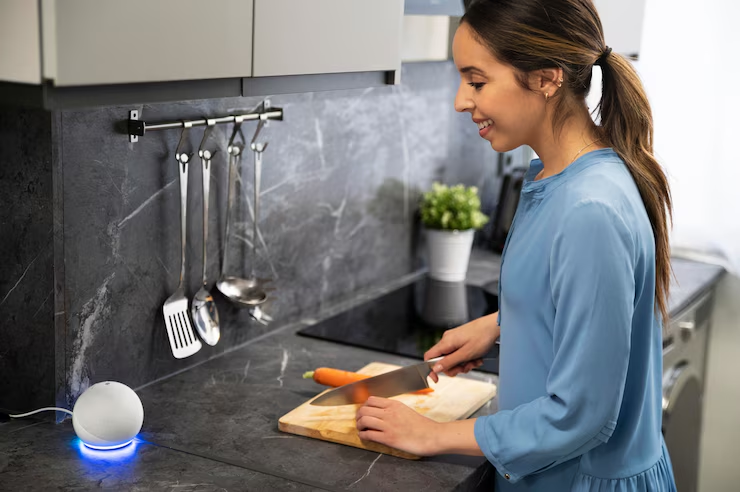
Alexa, working with voice-controlled kitchen tools made cooking hands-free in ways I didn’t expect to be so useful. When cooking with messy hands, voice control lets me set timers, convert measurements, change temperatures, and add items to shopping lists.
When your hands are covered in flour or raw meat, voice-controlled kitchen tools become must-haves, not just nice to have. This was probably the best part of my smart home kitchen ideas setup.
Overrated Smart Kitchen Appliances That Wasted My Money
Not everything I bought was worth it. Some gadgets just made cooking more complicated and didn’t solve any real problems.
Smart Coffee Maker Review: Overpriced & Overcomplicated
The $400 smart coffee maker was supposed to learn what I like and brew perfect coffee every morning using cooking with AI. Instead, it became a daily headache. The app was slow, the WiFi connection was unreliable, and the coffee wasn’t better than a $50 regular machine.
Why was it terrible?
- The app crashed all the time during the morning rush
- WiFi problems meant remote brewing didn’t work
- Too many complicated settings made simple coffee brewing a pain
- Way too much maintenance for barely any benefit
After six months, I went back to a simple programmable coffee maker and all problems were solved.
Why Smart Dishwashers Don’t Add Real Value
The smart dishwasher with app connection seemed like a good idea until I realized dishwashing doesn’t need monitoring. The cycle notifications were annoying instead of helpful, and the “smart load detection” rarely worked as they said.
Reality check:
- Dishwashing doesn’t need remote watching
- App notifications became just digital noise
- Smart features added problems without real benefits
- Regular dishwashers do the job just as good
This taught me an important lesson – not every appliance needs to be “smart.” Some tasks are better kept simple.
Hidden Costs of a Smart Home Kitchen
Nobody tells you about all the extra stuff you need to buy to make these things work right. Here’s what I learned the hard way about the real costs.
Smart Kitchen Compatibility Issues Between Devices
Different brands used different apps, and getting everything to work together needed technical troubleshooting that took away from cooking time. Getting all the best smart kitchen devices to work together was harder than expected.
Real costs included:
- Multiple app subscriptions for different appliances
- WiFi network upgrades to handle more devices
- Time spent fixing connection issues
- Frustration with systems that don’t work together
The Smart Kitchen Learning Curve No One Talks About
Every smart cooking appliance comes with a learning curve that regular appliances don’t have. I spent hours reading manuals, watching YouTube videos, and trying different settings. While some devices paid off this time investment, others never did.
What to expect:
- Budget extra time for setup and learning
- Some smart features need regular use to be worth the complexity
- Simple tasks shouldn’t need smartphone interaction
- User interface design is different between manufacturers
What to Know Before Buying Smart Cooking Appliances
Here’s what I wish I knew before spending thousands on smart kitchen gadgets. These tips will save you money and headaches.
How to Choose Smart Kitchen Gadgets That Solve Real Problems
The most successful smart kitchen gadget investments solved real problems in my cooking routine. The refrigerator reduced food waste, the oven improved consistency, and voice control made hands-free operation better. Devices that just added connectivity without solving problems became expensive paperweights.
Top Questions to Ask Before Buying Smart Kitchen Tech
- What specific problem does this solve?
- Will I use the smart features regularly?
- Does the basic function work well without smart features?
- How much time will setup and learning take?
The 80/20 Rule of Smart Kitchen Investment
After lots of testing, 80% of the benefit came from 20% of the features. Most smart cooking appliances have dozens of functions, but only a few get regular use. Focus on devices where those few functions actually improve cooking.
High-Impact Smart Features That Are Actually Worth It:
- Inside cameras for refrigerators
- Temperature probes for ovens
- Voice control for hands-free operation
- Automated inventory tracking
Low-Impact Features That Just Add Complexity:
- Social media integration
- Too many app notifications
- Overly complex scheduling systems
- Unnecessary remote monitoring
Smart Kitchen Cost Breakdown: What I Spent vs. What I Saved
Let me break down the real costs and savings so you can see if this journey is worth it for your budget.
Despite the smart kitchen market growth, adoption challenges are still big. The high starting cost is a main barrier, which I experienced firsthand.
Actual costs after 2 years:
- Smart kitchen gadgets: $3,200 total investment
- Subscription services: $180 per year
- WiFi upgrades: $150
- Replacement/returned items: $400
Real benefits:
- Reduced grocery spending: $80/month
- Energy savings: $25/month
- Time savings: 2 hours/week
- Better cooking success rate: 90% vs 70% before
Final Thoughts: How to Build a Smart Kitchen That Works for You

After two years of trial and error, here’s my honest advice on building a modern kitchen setup that actually works.
This smart kitchen journey showed that success is about strategic selection, not buying everything. Devices that fit easily into existing routines while solving real problems were worth their cost. Those that added complexity without clear benefit became expensive lessons.
Tips for Starting Small with Smart Kitchen Tools:
- Start with one smart kitchen device and expand slowly
- Focus on problem-solving over cool features
- Research user reviews focusing on long-term experience
- Consider total cost including subscriptions
Best Smart Kitchen Devices to Buy First:
- Smart refrigerator for inventory management
- Smart oven for cooking precision
- Voice assistant for hands-free control
- Skip smart versions of simple appliances
The connected kitchen tech market is expected to reach $21.80 billion in 2025, driven by consumers wanting kitchen efficiency. But remember – the smartest kitchen is one that makes life easier, not more complicated.
Before jumping into a modern kitchen setup transformation, honestly look at your cooking habits and identify real pain points. Not every appliance needs to be smart, but the best smart kitchen devices can really transform your cooking experience. Choose wisely, and your kitchen will become a more efficient, enjoyable space for years to come.