
Smart home technology is no longer just for tech geeks. In 2024, 69.91 million US households actively use smart home devices, and the numbers keep growing fast. The global smart home market is projected to grow from $84.5 billion in 2024 to $116.4 billion by 2029.
But here’s the thing: most people still don’t know where to start. With so many smart gadgets for home available, choosing the right system can feel overwhelming. If you want something simple and that just works, Google Home is a solid option. It is like having a personal assistant that controls your entire house with just your voice.
Connected living isn’t about having fancy gadgets everywhere. It’s about making your daily life easier, saving money on energy bills, and keeping your home secure. Voice-controlled devices have become so popular because they solve real problems – you can turn off lights without getting up, check who’s at the door while you’re at work, or adjust the temperature before you get home.
Google smart devices work together to create a system that learns your habits and preferences. When everything connects properly, your home starts to feel like it knows what you need before you ask for it.
What Is Google Home and How Does It Work?
Google Home is way more than just a smart speaker sitting on your counter. It’s the brain of your smart home automation system. Think of it as a central hub that connects all your smart devices and makes them work together.
The device uses Google Assistant, which is Google’s artificial intelligence system. The number of digital voice assistants in use has grown from 4.4 billion in 2022 to an expected 8.4 billion by 2024. People are using these devices because they make life easier.
The Core of Google’s Smart Ecosystem
Google Home doesn’t work alone. It connects to other Google smart devices like thermostats, cameras, and displays. These devices talk to each other through your home’s Wi-Fi network.
Here’s what makes Google Home special:
- Google Nest Thermostats learn when you’re home and adjust temperature automatically
- Nest Cameras send alerts to your phone when they detect movement
- Nest Displays show you weather, calendar events, and camera feeds
- Nest Doorbells let you see and talk to visitors from anywhere
The system uses Google’s cloud servers to process your commands and control devices. This means it gets smarter over time by learning your patterns and preferences.
How does Google Assistant work?
Google Assistant is the voice that responds when you talk to Google Home. Google Assistant has a 36% market share among voice assistants, followed by Apple Siri (36%) and Amazon Alexa (25%).
Here’s what you can do with voice-controlled devices:
Daily Tasks:
- “Hey Google, remind me to pick up groceries at 5 PM.”
- “What’s the weather today?”
- “Add milk to my shopping list.”
Home Control:
- “Turn off all the lights.”
- “Set the thermostat to 72 degrees.”
- “Show me the front door camera.”
Entertainment:
- “Play jazz music in the living room.”
- “What’s on Netflix tonight?”
- “Set a timer for 10 minutes.”
The assistant understands context, so you can ask follow-up questions without repeating yourself. If you ask “What’s the weather?” and then say “What about tomorrow?” it knows you’re still talking about the weather.
How to Set Up Google Home for Smart Living
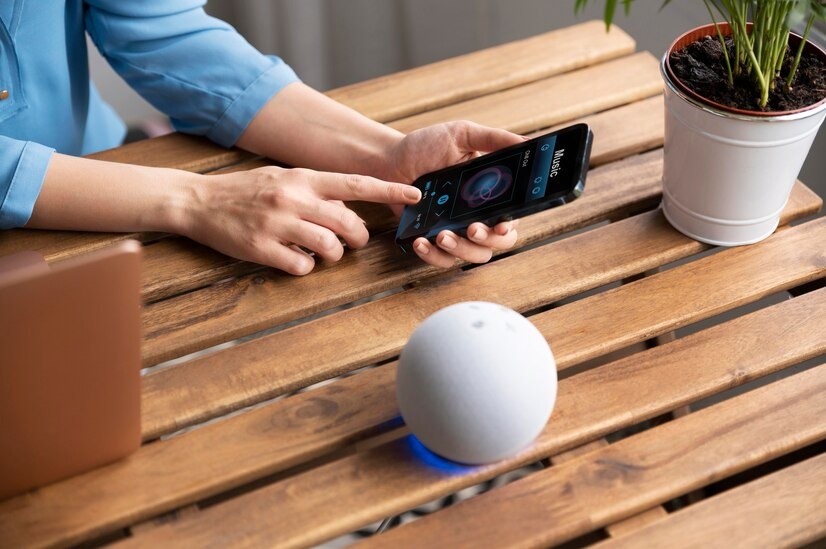
Getting started with the Google Home setup is easier than most people think. You don’t need to be a tech expert – just follow these steps and you’ll have a working system in about 30 minutes.
The key is planning before you start. Think about which rooms you use most and what problems you want to solve. Did you forget to turn off the lights? Want to control the temperature without getting up? Need better home security? Start with these basics.
Google Home Setup Basics
Step 1: Download the Google Home App
Get the app from your phone’s app store. This app controls everything – it’s like a remote control for your entire smart home.
Step 2: Connect Your Google Home Device
- Plug in your Google Home device
- Open the app and follow the setup instructions
- Connect to your Wi-Fi network
- Link your Google account
Step 3: Add Compatible Devices
The app will scan for smart gadgets for home that work with Google Home. Popular options include:
- Smart plugs for lamps and small appliances
- Smart bulbs for lighting control
- Smart thermostats for temperature management
- Security cameras for home monitoring
Step 4: Test Everything
Try basic commands like “Hey Google, turn on the living room lights” to make sure everything works properly.
Creating a Seamless Connected Home
Once your devices are connected, you can create “routines” – these are automated actions that happen when you say specific phrases or at certain times.
Popular Routines:
- Good Morning: Turn on lights, start coffee maker, read weather and news
- Bedtime: Turn off all lights, lock doors, set security cameras
- Leaving Home: Turn off lights, adjust thermostat, activate security system
Scheduling Options:
- Set lights to turn on/off at specific times
- Adjust the thermostat based on your work schedule
- Play music when you arrive home
The Google Home app makes it easy to create these routines. You just select which devices to control and when to activate them.
Know the Impact of 6G on Smart Homes
What Can You Control with Google Home?
Google Home can control thousands of different smart gadgets for home. The variety might surprise you – everything from lights and thermostats to garage doors and sprinkler systems.
The best part is voice control. Instead of fumbling with apps or switches, you just speak naturally. This makes smart home automation feel effortless and intuitive.
Lighting, Climate, and Entertainment
Smart Lighting Control:
- Turn lights on/off in any room
- Dim lights to specific brightness levels
- Change colors if you have color-changing bulbs
- Set schedules for automatic lighting
Climate Management:
- Adjust the temperature with voice commands
- Set different temperatures for different rooms
- Create schedules that save energy when you’re away
- Get alerts if the temperature goes outside normal ranges
Entertainment Systems:
- Play music from Spotify, YouTube Music, or other services
- Control volume in different rooms
- Stream videos to TVs with Google Chromecast
- Create party playlists that play throughout the house
Example: Say “Hey Google, movie time” and it can dim the lights, turn on the TV, and adjust the temperature – all with one command.
Security and Monitoring
Home Security Features:
- Smart doorbells that show you who’s at the door
- Security cameras that send alerts when they detect motion
- Smart locks that you can control remotely
- Window and door sensors that alert you if they’re opened
Remote Monitoring:
- Check camera feeds from anywhere using your phone
- Get instant notifications if something unusual happens
- Control lights to make it look like you’re home when traveling
- Set up automatic responses to security events
Google Home can also call emergency services if it detects smoke alarms or security breaches, though this feature isn’t available everywhere yet.
Google Home vs Alexa vs Apple: Which is Better for You?
The smart home market has three main players: Google Home, Amazon Alexa, and Apple HomeKit. Each has strengths and weaknesses, so choosing depends on what you already use and what’s most important to you.
Google holds 17.2% of the smart speaker market share, making it Amazon’s closest competitor. But market share doesn’t tell the whole story about which system works best.
Google vs Amazon Alexa vs Apple HomeKit
| Feature | Google Home | Amazon Alexa | Apple HomeKit |
| Device Compatibility | 50,000+ devices | 100,000+ devices | 1,000+ devices |
| Voice Recognition | Best accuracy | Good accuracy | Good accuracy |
| Setup Difficulty | Easy | Easy | More complex |
| Privacy | Moderate | Lower | Highest |
| Price Range | $30-$300 | $25-$250 | $50-$400 |
Why Choose Google Home:
- Best at understanding natural speech
- Works great with Gmail, Google Calendar, and YouTube
- Excellent at answering questions and providing information
- Good selection of compatible devices
Why Choose Amazon Alexa:
- Largest selection of compatible devices
- Strong shopping integration
- Many different speaker options
- Lots of third-party skills and features
Why Choose Apple HomeKit:
- Best privacy protection
- Works seamlessly with iPhones and iPads
- Local processing means it works even when internet is down
- High-quality, premium devices
Final Thoughts – Is Google Home the Right Start for Your Smart Life?
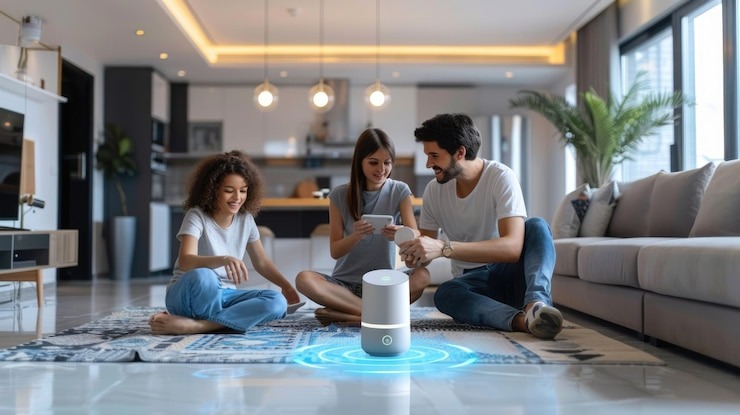
Google Home offers an excellent entry point into smart home automation. It’s easy to set up, works with thousands of devices, and gets smarter over time as you use it more.
Loup Ventures evaluated assistants with 800 questions and reported Google Assistant answered about 85% correctly, while Siri scored around 78.5%.
Why Google Home Makes Sense:
- Easy setup process that doesn’t require technical expertise
- Works with existing Google services that most people already use
- Good selection of compatible devices at various price points
- Continuous improvements through software updates
Making the Decision: If you already use Google services like Gmail and Google Calendar, Google Home integrates seamlessly. If you prioritize privacy above all else, Apple HomeKit might be better. If you want the most device choices, Amazon Alexa could be the right choice.
The smart home market is growing rapidly, and getting started now means you’ll be ready for future innovations. The global smart home market is predicted to reach $462.94 billion by 2030, so this technology will only become more important in daily life.
Start small with a Google Home device and a few smart gadgets for home that solve real problems. You can always add more devices later as you discover new ways to improve your connected living experience.
Leave a Reply